Your coding agent can finally debug a Control4 driver on the controller
Your coding agent can now read what your driver did on a real Control4 controller, diagnose bugs and check its fixes. Available now on all Anvil developer plans.
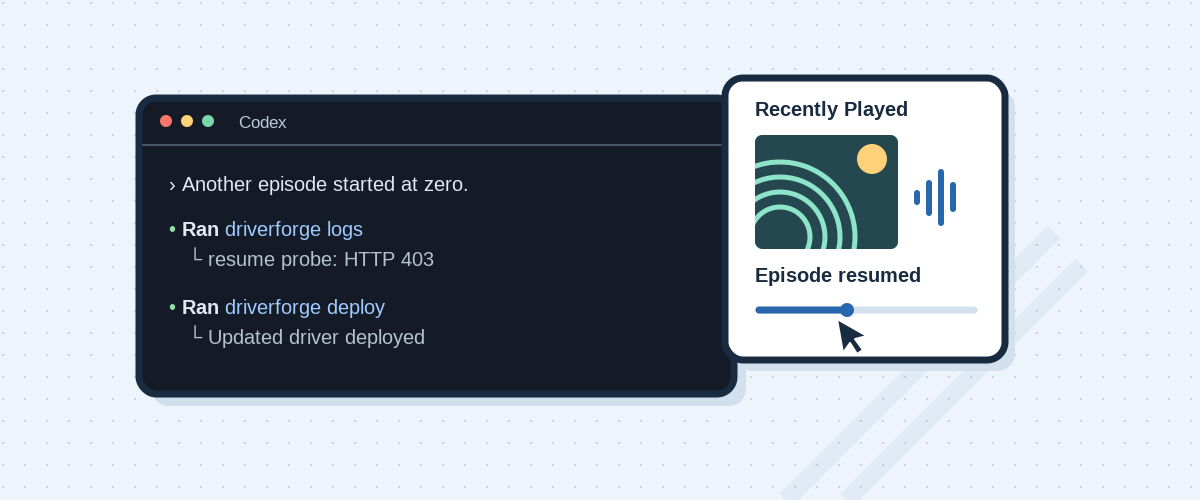
Give a coding agent a broken button on a website and it can open a browser, click the button with Playwright and see what breaks. Once it’s made a fix, it can click again. That second click is a big part of what makes working with an agent feel so good.
Give the same agent a broken button in Control4 and, until now, you’ve had to do a lot more than press it. The agent can read and write code, but the driver runs on a controller. Which callback fired? What did the device send back? You dig through Composer Pro’s Lua output and paste the interesting bits into chat. Miss a detail and you both go round again.
We built Driverforge to close that loop. Now your agent can follow a tap into the running driver, work out what went wrong and deploy a fix. When you tap again, it can check what the new version did. You can keep your eyes on the touchscreen and answer the other half of the question: did the fix work for the person pressing the button?
Closing the loop on a real controller
A Driverforge customer with early access to Anvil was putting the finishing touches on a podcast driver. Codex used the open source CLI, the Anvil MCP Server and agent skills to help the developer test it on their controller.
When the developer tried to resume some episodes, playback started again from the beginning. Codex pulled the controller logs and traced the failure to a missing User-Agent header. It added the header to the driver’s audio requests, ran the tests and deployed the updated driver to the controller.
We’ve condensed and anonymised the exchange and shortened the commands and their output.
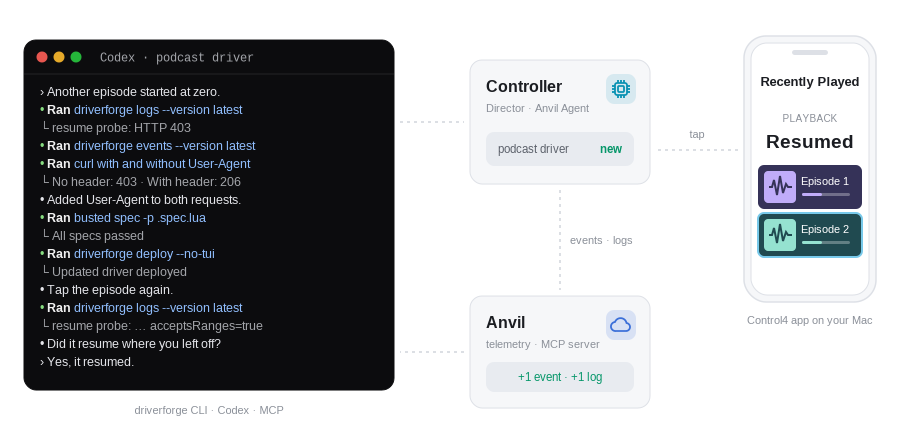
› Another episode started at zero. Can you check that one?

• Ran driverforge logs --version latest --tail 300 --output json | jq …
  └ resume probe: … The requested URL returned error: 403
    resume: no ranged size (total=nil ranges=false) -- streaming from 0

• Ran driverforge events --version [build] --tail 300 --output json | jq …
  └ PlayUpNext
    QUEUE_STATE_CHANGED    PLAY

› The same episode resumes in the native app.

• Ran python3 …  # compare curl requests for the same audio bytes
  └ Without User-Agent: HTTP/2 403
    With User-Agent:    HTTP/2 206, bytes 0–8191 returned

• Added the header to the resume probe and the audio request.
• Ran busted spec -p .spec.lua
  └ … / 0 failures / 0 errors / 0 pending

• Ran driverforge deploy --no-tui
  └ → director reinstalling the driver…
    → driver restarting…
    ✓ Version [build] deployed

• Try the same episode from Recently Played. Does the audio pick up
  where you stopped?

› Yes, it resumed.

• Great, that confirms the fix. With the User-Agent header, this host
  accepts the range request and playback resumes where you left off.
The developer stayed in the terminal while Codex pulled the logs, tracked down the missing header and deployed the fix. If you’ve tested a driver in Composer, you know the routine. You wait for the project to refresh, click back into the Lua tab and trigger the bug again so you can catch the right line. This time, the developer skipped all of that.
To retest the fix, the developer tapped the episode in the Control4 app in the next window on their Mac. It picked up where they’d left off.
How the agent sees the controller
When the driver reports a callback, a log line or an error to Anvil, the agent can read it from the terminal. The MCP server also gives it access to that telemetry and the DriverWorks docs. You sign in once with your Driverforge account, and the agent can only read what you can read. It works in Claude Code, Cursor, Codex, Gemini CLI and VS Code.
The skill teaches the agent the routine: deploy, trigger, read, compare. It also covers what to do when something doesn't add up. The CLI is open source, and when an agent runs it, it drops its prompts and answers in JSON, so the agent never has to guess at a result.
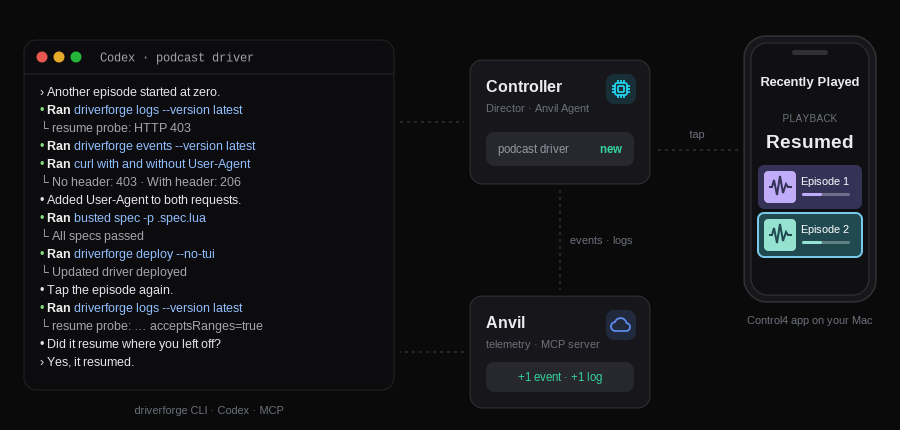
From there, the whole loop runs from the agent's terminal. You only step in to tap a button:
What if two developers deploy to the same controller?
The agent filters each read by the version it deployed, even if a colleague deploys another build to the same controller. If a query returns nothing, the agent investigates. If the controller has gone quiet, it tells you when Anvil last heard from it. The agent also treats log and payload contents as data. It can show you a line that says “ignore your previous instructions” without following it.
The documentation lookups follow the same idea. Control4's API changes between OS releases, and a model's memory blends all of them together. When the agent supplies your target OS version, the MCP server uses the DriverWorks version notes to flag calls that require a newer release. The agent can then guard the call or choose another API.
The rest of the toolkit
Deploy from your terminal with the CLI. Use the open source Driverforge CLI to deploy a driver to your controller and pull the logs and events for the version you just tested.
Read controller telemetry through MCP. The Anvil MCP server lets your coding agent read driver telemetry and look up which DriverWorks APIs are available on the Control4 OS version you support.
Teach your agent the test loop with skills. The agent skills teach your agent when to deploy a change, ask you to trigger it and check the resulting callback.
Step through your driver's code locally with a debugger. Start driverforge run --debug, set a breakpoint in your Lua handler and tap the control in the app. When the controller calls the handler, execution pauses in your IDE so you can inspect the arguments and step through the code.
Errors with a reference. When a driver throws, Anvil groups every occurrence by cause and gives the group a reference like POOLPUMP-4F2A9C1B. Hand it to your agent and it pulls the stack trace and the arguments of the call that failed, finds the line and proposes a fix. The error tracking post explains how Anvil captures those details.
Build and deploy in CI. A GitHub Action and a Buildkite plugin put the CLI in your pipeline, so the build you tested with your agent is the build that ships.
Get started
You'll need a controller running the Anvil Agent and an Anvil account. Once you install the CLI and your driver starts reporting to Anvil, ask your agent for a change you can see from across the room. When it asks you to press the button, watch the device. Let the agent watch the logs.
The coding agents guide walks you through setup for each agent. We also serve every docs page as Markdown. Point your agent at llms.txt and let it read what it needs.