Deploying a Control4 driver with one command
The Driverforge CLI builds your driver, installs it on a Control4 controller and confirms it restarted, all from one command. For Lua-only changes, sync is faster still: no reload, and the driver keeps its state.
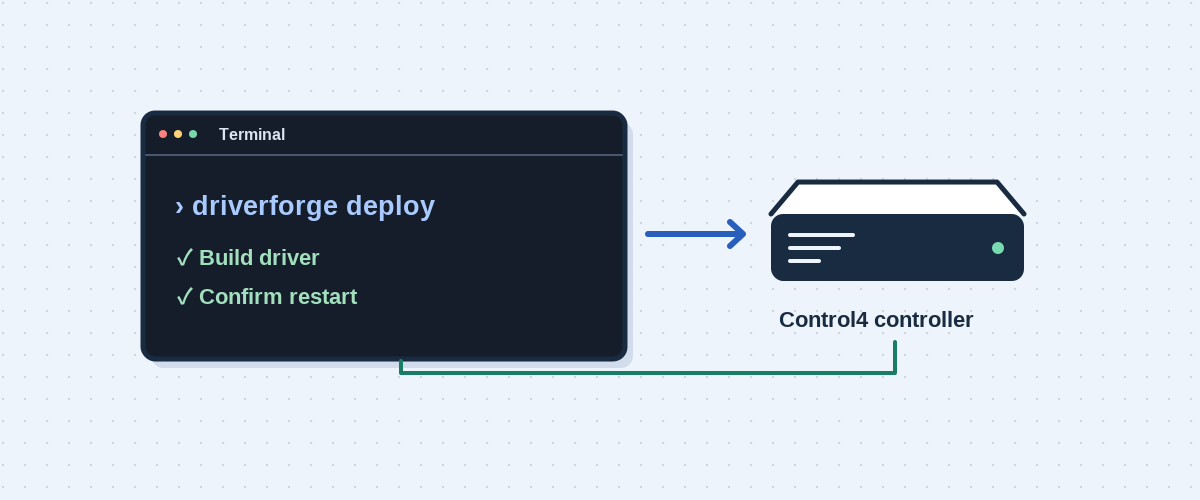
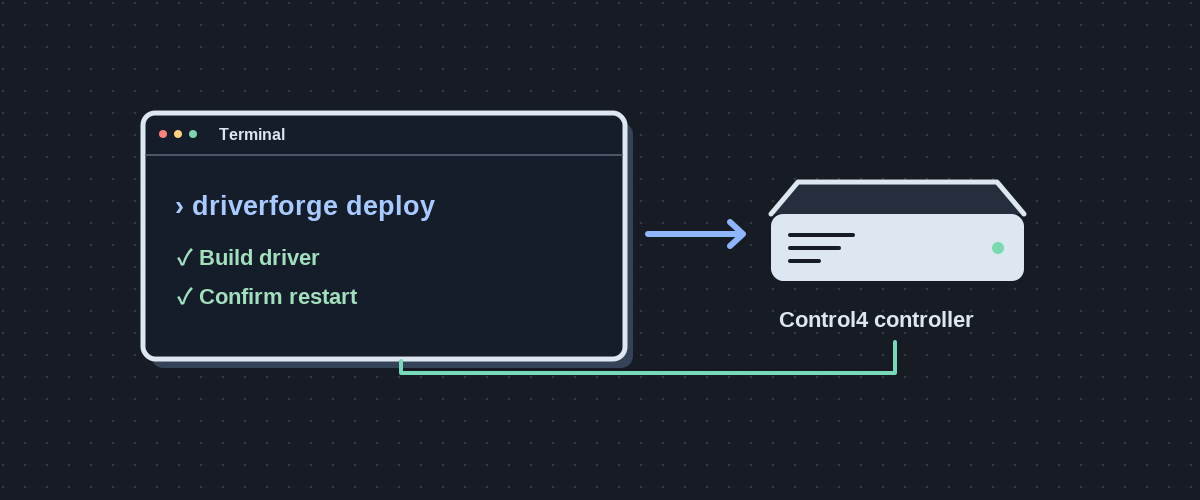
A Control4 driver is a package of Lua and XML, built into a .c4z and run by Director on a Control4 controller. Getting a change to a driver onto a controller has always been a manual job. You bump the version in driver.xml, or confirm that you want to install the same version over the top. You package the .c4z, open Composer Pro on a Windows machine, and update the driver in the project. Then you wait for it to reload, refresh navigators so they pick up any new screens, and check the Lua output to see whether it actually started. That's a lot of steps between a change and seeing it work.
The Driverforge CLI turns that into one command:
driverforge deployIt builds the driver, bumps the version, sends the package straight to the controller over your local network, and waits until the restarted driver reports that it's running. When all you've changed is Lua, there's a faster option:
driverforge syncSync swaps the new code into the driver that's already running, in one round trip, without a reload. The driver keeps its state, its timers keep running, and you're back to testing in a moment.
One command instead of a checklist
- Build and install in one step.
deploybuilds your project, increments the version, uploads the package and has Director install it. There's no Composer and no Windows machine involved. - Know it worked. The command doesn't stop at "upload complete". It follows the driver through its restart and tells you whether it came up cleanly, came up with initialisation errors, or failed.
- First installs too. If the driver isn't in the project yet, the CLI walks you through adding it.
- Fresh screens everywhere. When a deploy changes your driver's screens, touchscreens and the Control4 apps are told to refresh, so nobody sees a stale screen.
- Faster when you can.
syncupdates only the Lua in a running driver and keeps its state. When a change needs a full reload, it says so and offers to deploy instead.
All of this runs through the Anvil Agent, which is already on the controller with an authenticated session. The agent hosts a deployment server that the CLI talks to over HTTPS, on port 9443 by default.
Deploy: build, install, confirm
Uploading a package is the easy part. What a developer actually wants to know is whether the driver restarted and is running the new code, so deploy keeps the connection open and reports each stage as it happens: the package is written to the controller, Director reinstalls the driver, and the driver restarts.
The last stage is confirmed by the driver itself. When a driver that uses the Driverforge SDK finishes starting up, the SDK announces it, with the driver's name, the version it's running and the controller it's on. The agent matches that against the deploy in progress, and the CLI reports one of four results:
- confirmed: the driver restarted and is running the new version;
- confirmed with errors: it's running, but reported an error while initialising, which the CLI shows you;
- failed: it hit an initialisation error and didn't recover;
- unconfirmed: nothing was heard within 30 seconds. That's normal for a driver without the Driverforge SDK, which has no way to announce itself, and it may well be running fine.
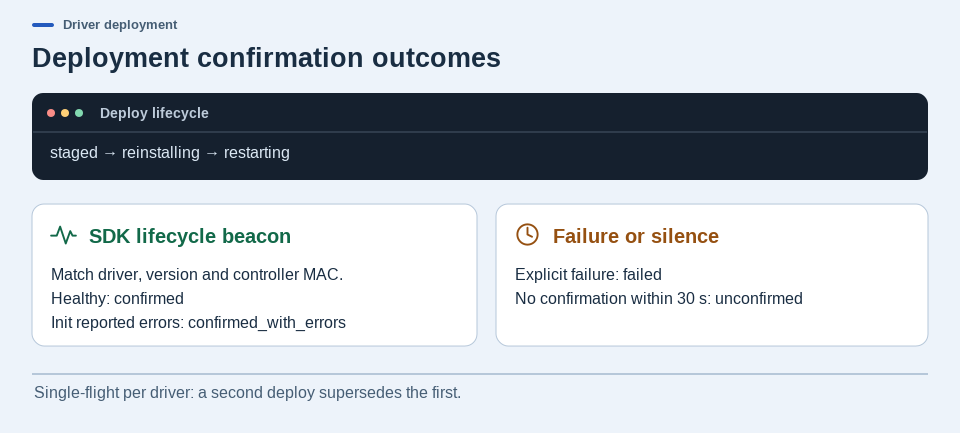
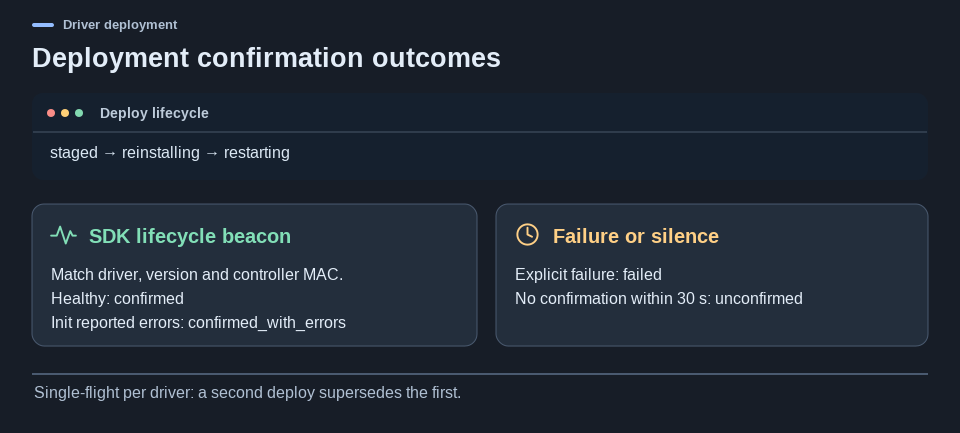
Only one deploy of a given driver can be in flight at a time; starting a second one cancels the first, so two deploys never compete for the same confirmation.
Sync: when you don't need a reload
A full deploy restarts the driver, which throws away everything it held in memory and runs its initialisation again. That's right when the driver's structure has changed, but it's slow and disruptive when you've only edited a handler.
sync sends just the new Lua into the driver that's already running. It uses the same mechanism Composer's Lua window uses to run code inside a driver, so your functions are redefined in place. Timers and in-memory state carry on, OnDriverInit and OnDriverLateInit don't run again, and it takes one round trip. One thing to keep in mind: code at the top level of your files runs again on every sync, so keep it safe to repeat.
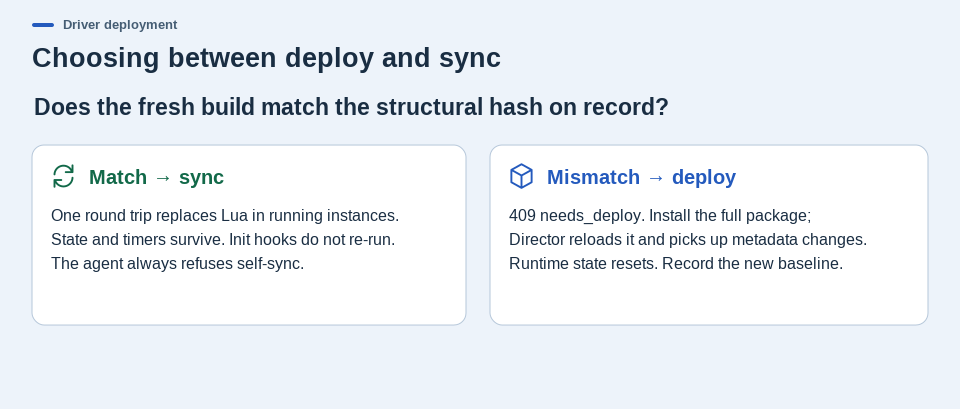
Sync is only safe while the driver's structure matches what's installed, and the CLI checks that for you. Each build records a fingerprint of the parts of driver.xml that shape the running driver, such as actions, properties, proxies and connections, and ignores things like version numbers and display names. If the fingerprint has changed since the last deploy, or there hasn't been one yet, sync stops and offers to run a full deploy instead.
Fresh screens on every navigator
Control4's touchscreens, remotes and mobile apps cache the screens and controls each driver provides. Change a driver's screens or tabs, and a navigator can keep showing the old version, or a spinner, until someone refreshes it by hand.
deploy handles that automatically. When a deploy changes driver.xml, the CLI asks Director to refresh the navigators once the driver is confirmed, using the same mechanism Control4's own driver library uses. If you need a refresh without a driver.xml change, --refresh-navigators forces one.
Who can deploy
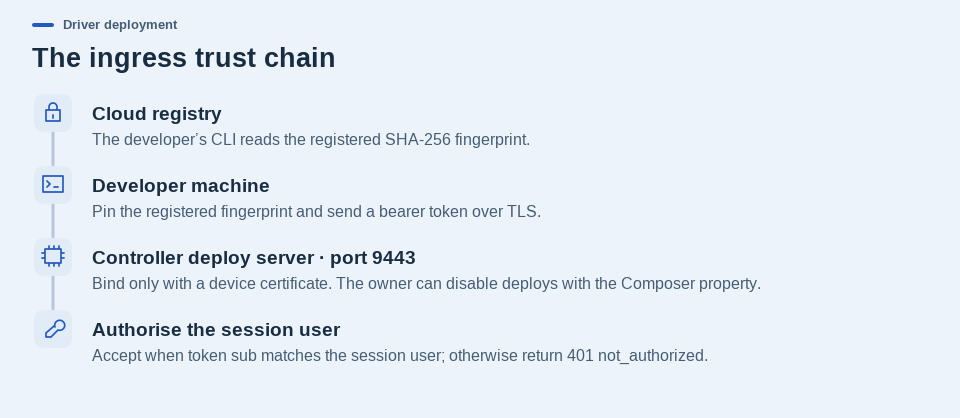
Only the user signed in to a controller's Anvil Agent can deploy to it; the server rejects anyone else's token. The less usual part is HTTPS. A controller on a home network has no hostname a certificate authority would vouch for, so the agent generates its own certificate on first load and registers its fingerprint with Driverforge's cloud. The Driverforge CLI checks the server's certificate against that registered fingerprint before it sends anything.
You can turn the server off, or move it to another port, with a Composer property.
What the firmware expects
Running an HTTPS server inside a Control4 driver turned up a few platform behaviours worth knowing if you write your own:
CreateTLSServertakes ten arguments, with the callback identifier as the last one, not a value it returns. Passing the certificate where a numeric options value belongs makes the server refuse to bind withoptions should be a number.- TLS servers require a client certificate by default. If your clients authenticate some other way, such as with a token, set the server's verify mode explicitly.
- The platform's JSON encoder doesn't produce arrays. It turns a Lua sequence into an object with string keys, so
["deploy","sync"]comes out as{"1":"deploy","2":"sync"}. The agent uses a small encoder of its own that emits real arrays.
The fine print
Confirmation needs the Driverforge SDK, so a driver without it always reports unconfirmed, even when the deploy worked. And because sync re-runs top-level code, a driver that does something irreversible when its file loads should be deployed rather than synced. Sync also can't swap code in an encrypted build, so it does a full deploy instead, and it can't see a change made directly in Composer; a deploy brings the controller back in line.
From a change to a running driver
A change used to mean a version bump, a trip through Composer, a manual navigator refresh and a look at the log. Now it's driverforge deploy, which tells you when the driver is back, or driverforge sync when a reload isn't needed. The time between editing a driver and seeing it run on real hardware comes down to how long the build takes.